 AI
AI
How Entra treats domains differently from Active Directory
Active Directory treats each domain as its own directory. Entra has no equivalent boundary. Multiple on-prem domains all sync into one tenant, and every hybrid user in that tenant is treated as equal, regardless of which domain they came from. Compromise one on-prem domain and you hold impersonation rights over every hybrid user in the entire tenant. Cloud-only accounts are protected, but if 100 domains share a tenant and one falls, all hybrid users fall with it.
Converting cloud-only accounts to hybrid accounts
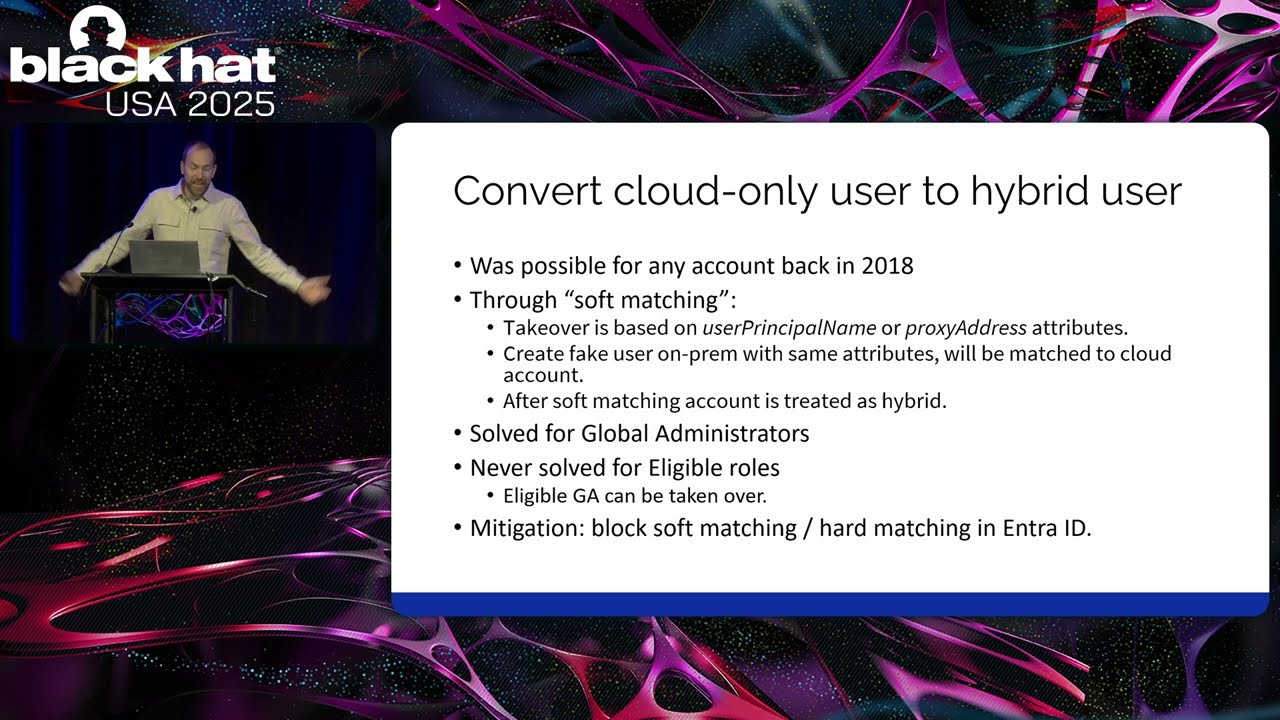
Soft matching lets an attacker create an on-prem account with the same UPN as a cloud-only account, which triggers Entra to merge them and treat the target as hybrid. Microsoft blocked this for active admins in 2019 but left eligible admins exposed. An account sitting in Privileged Identity Management without an active role has no active administrator assignment, so the protection does not apply. Soft-match it to a hybrid account, then impersonate it with ADFS or seamless SSO. Blocking both soft matching and hard matching in tenant settings closes this path.
Policy manipulation via the Entra ID Connect sync account
The Entra ID Connect sync account could write to an undocumented internal API, graph.windows.net version 1.61-internal, and modify the on-premises authentication flow policy. That policy stores the Kerberos keys for seamless SSO. Adding a backdoor key to a microsoft.com domain, rather than a hybrid domain, kept it off rotation schedules. The result was a persistent SSO key with no audit event generated.
“yeah so good luck detecting this” — Dirk-jan Mollema
The same sync account could also modify the default authentication methods policy to register a fake external MFA provider, satisfying MFA requirements on any in-scope account. Microsoft removed these graph write permissions from the sync account in 2024.
Exchange Hybrid’s shared service principal and what it unlocks
Exchange Hybrid on-prem shares a service principal with Exchange Online, and Exchange Online is effectively global admin through service-to-service tokens. The hybrid configuration provisions a certificate on that service principal with the private key marked exportable. RDP to the server, right-click export, and you hold Exchange’s identity. ACS issues an actor token flagged “trusted for delegation.” Embed it in an unsigned bearer token with any user’s identity and you impersonate anyone in the tenant, bypassing all conditional access. Mollema ran the SharePoint and OneDrive impersonation demo (27:57), swapping user IDs in the unsigned token to open arbitrary OneDrives.
“this one definitely wins” — Dirk-jan Mollema
Live demo, detection, and mitigations
Mollema’s global admin creation via graph.windows.net impersonation (31:07) showed the full path: actor token for graph.windows.net, impersonation token scoped to a global admin’s net ID, new user created, global administrator role assigned, all from on-prem Exchange. Audit logs do record the action, but the entry shows both the impersonated user’s UPN and “Exchange Online” as the display name simultaneously. That collision is the detection signal. Microsoft shipped a fix for the graph.windows.net impersonation path and published a CVE. Exchange-to-SharePoint impersonation still works. Splitting the Exchange Hybrid service principal from Exchange Online is required by October 2025.
“was a very bad design” — Dirk-jan Mollema
Notable Quotes
yeah so good luck detecting this Dirk-jan Mollema · ▶ 16:18
this one definitely wins Dirk-jan Mollema · ▶ 24:17
was a very bad design Dirk-jan Mollema · ▶ 35:16
Key Takeaways
- Compromising any single hybrid domain gives an attacker impersonation rights over every hybrid user in the entire Entra tenant.
- Block soft matching and hard matching in hybrid environments; most organizations have not applied this setting.
- Exchange Hybrid on-prem shares a service principal with Exchange Online; split these before October 2025 to close the path.